
AI-Powered Onboarding
Use Alex before signup and prepare onboarding drafts that you review and approve.
Who is this article for?
Use Alex for setup questions before signup, then choose the assistant-led route when you are ready to prepare your organisation. For the complete sequence, follow Onboarding with Alex.
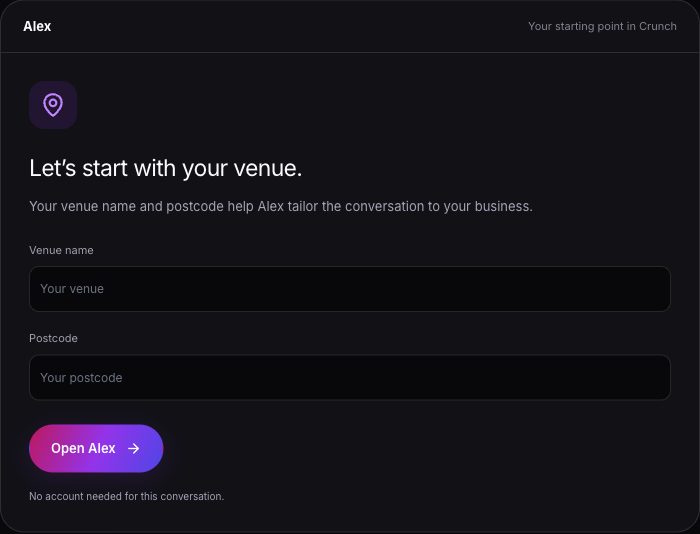
Alex shows up in two connected places during the early Crunch journey:
- On the public site before you sign in
- On the onboarding entry screen after you create your account
 View larger
Before You Create an Account
Open Get Crunch and choose Ask Alex.
Enter your Venue name and Postcode to give the conversation context. Both are required for the public Alex conversation.
Ask a specific setup question, such as what to prepare before connecting Square or how to organise your stock catalogue.
After You Create an Account
The onboarding entry screen gives you three ways to continue:
- Let Alex Set It Up
- Start Setting Up
- Explore Demo Dashboard
The Alex-led option is described directly in the UI as:
Upload your menu and let our AI handle the setup. Just review and approve what Alex creates for you.
Review what Alex prepares
Alex can prepare setup drafts and help with import mapping and validation. Open the draft in the onboarding workspace, inspect its changes and choose Approve & Apply when ready. Alex does not approve drafts for you.
If you already use Square, follow the connection and seeding steps before building a separate catalogue. Review imported counts and unmatched records before continuing.
Review and approve onboarding drafts
Connect Square during onboarding
When the Alex-Led Path Makes Sense
- Choose Let Alex Set It Up if you want an AI-led setup and review flow.
- Choose Start Setting Up if you want to work through the setup steps yourself.
- Choose Explore Demo Dashboard if you want to see the product before committing to setup.
Good Setup Questions for Alex
Alex is easiest to use when you keep the conversation tied to one setup goal at a time. Good examples are:
- Plan my rollout
- What should I set up first for my venue?
- How should I structure my menus and items?
- What do I need before I connect my POS?
Meet your AI assistants
Create your account
Read the full onboarding guide
Set up your organisation