
Meet Alex and Crunchy
Choose public Alex, onboarding Alex or Crunchy for the work you want to do.
Who is this article for?
Crunch’s assistants support different stages of your work: Alex helps with discovery and setup, while Crunchy works inside your dashboard.
Meet Alex before signup
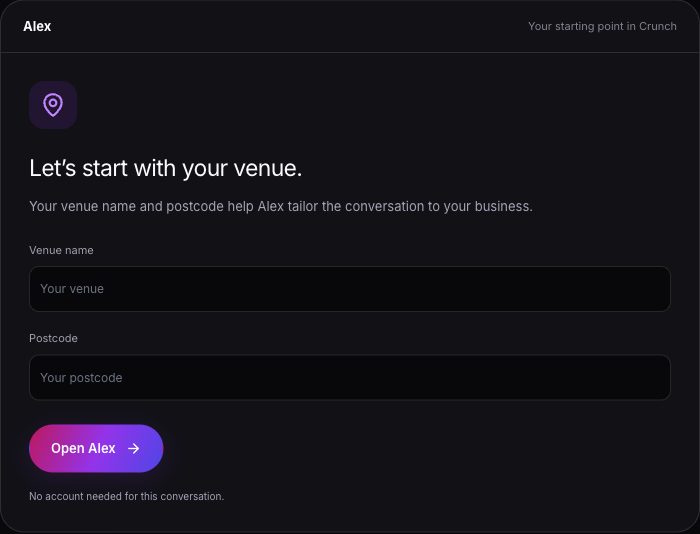
Open Get Crunch, choose Ask Alex, enter your Venue name and Postcode, then choose Open Alex.
Ask about setup, recipe costing or stock control without signing in. Alex uses your venue details for context. Public Alex has no access to your private Crunch records. For a conversation with the team, choose the neighbouring Talk to the team tab.
 View larger
Work with Alex during setup
After creating your account, Let Alex Set It Up starts the assistant-led onboarding route. You can also choose Start Setting Up to work through the setup yourself or Explore Demo Dashboard to explore sample data.
Alex helps prepare your setup, but you review and approve onboarding drafts before they become live records.
Use Crunchy in the dashboard
Open AI from the sidebar for the AI Assistant page. Crunchy starts with questions about inventory, tasks, menu optimisation, gross profit percentage and profitable products.
Use BI Analysis in the composer for reporting questions. The chat can show BI Specialist while that mode is active. Tools and data depend on your organisation’s plan, permissions and connections.
You can also open the floating assistant using its chat bubble, Cmd+Shift+K on Mac or Ctrl+Shift+K on other keyboards.
Choose your starting point
| Assistant | Where | Start with | | ------------------- | ------------------------- | ---------------------------------------------------------------- | | Public Alex | Get Crunch > Ask Alex | Product questions and setup preparation. | | Onboarding Alex | Let Alex Set It Up | Guided setup and drafts to review. | | Crunchy | Dashboard AI | Questions and supported tasks using your organisation’s records. | | BI Analysis | AI composer | Profitability, sales, pricing and stock-value analysis. |
Use the chat interface
What Alex and Crunchy can help with
Follow the onboarding path